
Snapchat Planets Order And Meanings Explained
What is the Snapchat Planets System?
The Snapchat Planets System is actually a Friendship Solar System. Snapchat shows your “Best Friends” in the form of planets — just like planets orbit around the Sun.
Meaning:
- You are the Sun.
- Your close friends appear around you as different planets.
- Each planet represents a position — showing how close or active that friend is as your best friend.
Snapchat Planets Meaning (Simple Explanation)
The more planets you have, the stronger your best friends are considered
The Snapchat Planets System is a feature that shows your best friends in the form of planets, where each planet represents their ranking.
This website is created for informational purposes only and has no affiliation with Snap Inc. We provide information about Snapchat Planets on this website to give knowledge to those who are curious about it. All Snapchat logos and planet images belong to Snap Inc.
Snapchat Planets Solar System Example
Imagine you are the Sun. You chat the most with these 8 people on Snapchat:
- John
- Adam
- Michael
- David
- Daniel
- Sophia
- Ethan
- Emma
Now Snapchat turns all of them into planets:
Planets Assign
The friend you chat with the most → becomes planet #1.
The one you chat with less → becomes #2, #3… and so on, up to Neptune.
How Snapchat Planets Order Work?
The order of Snapchat Planets is set based on your interaction level.
Meaning:
- The more you snap/chat with a friend, the higher their planet becomes.
- Friends with less interaction move to the lower planets.
Snapchat Planets Order
- Mercury → #1 Best Friend (Most snaps
- Venus → #2 Best Friend
- Earth → #3 Best Friend
- Mars → #4 Best Friend
- Jupiter → #5 Best Friend
- Saturn → #6 Best Friend
- Uranus → #7 Best Friend
- Neptune → #8 Best Friend (least among top 8)
Example:
You are the Sun, and these friends are your top 8 friends (the ones with the most interaction come first):
| Friend | Snap/Chat Frequency | Planet |
| John | 100 snaps | Mercury (#1) |
| Adam | 90 snaps | Venus (#2) |
| Michael | 80 snaps | Earth (#3) |
| David | 70 snaps | Mars (#4) |
| Daniel | 60 snaps | Jupiter (#5) |
| Sophia | 50 snaps | Saturn (#6) |
| Ethan | 40 snaps | Uranus (#7) |
| Emma | 30 snaps | Neptune (#8) |
Understand this:
- You chat the most with John → Planet #1 → Mercury
- You chat the least with Emma → Planet #8 → Neptune
Important:
- If the chat frequency with John and Adam changes, the order of Mercury and Venus will change.
- Snapchat updates this dynamically every week or month.
Snapchat Planet Meanings: List and Rankings
Snapchat assigns planets to your top 8 friends. Here is the rank and meaning of each planet:
| Planet | Rank | Meaning (Simple) | Example |
| Mercury | #1 | Your closest friend, the one you snap/chat with the most | John |
| Venus | #2 | 2nd closest, slightly less interaction | Adam |
| Earth | #3 | 3rd best friend, still frequent snaps | Michael |
| Mars | #4 | Medium-level friend, occasional snaps | David |
| Jupiter | #5 | Moderate friend, less interaction | Daniel |
| Saturn | #6 | 6th friend, only occasional snaps | Sophia |
| Uranus | #7 | Rarely chat with, still in top 8 | Ethan |
| Neptune | #8 | Least interaction among top 8 | Emma |
Simple Rules
- The higher the planet (Mercury) → the closer the friend.
- The lower the planet (Neptune) → less active or fewer snaps.
- The order is dynamic — Snapchat updates it every week or month.
- If you start snapping more with someone → their planet rank moves up.
Snapchat Planets Meaning in Snap Planet Order
In the Snapchat Planets System example, we saw that you have 8 friends: John, Adam, Michael, David, Daniel, Sophia, Ethan, and Emma. Based on these friends, the Snapchat Planet Order is explained below.
Mercury Snapchat Planet (Your Closest Friend)

Meaning:
John is your #1 best friend on Snapchat. You both have the most chats, streaks, funny snaps, and personal conversations. Your friendship is strong, deep, and highly active.
Vibe:
Fast, energetic, closest orbit
Everyday chats + high comfort level
Graphic Sign:
A red-colored planet with a glowing ring, four red hearts, twinkling stars, and a Bitmoji sitting on top.
Why Mercury?
Because you spend the most time with John on Snapchat, he appears as your Mercury in the Snapchat planets system.
Venus Snapchat Planet (Second Closest Friend)
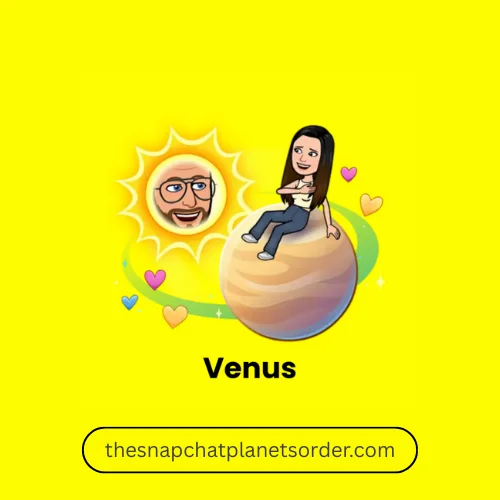
Meaning:
Adam is your second-best friend. Chats are sweet, full of cute vibes, funny memes, emojis, and smooth friendly energy.
Vibe:
Pink, yellow, blue heart vibes
Warm & friendly connection
Graphic Sign:
A soft beige planet with a shimmering dark ring, surrounded by pink, yellow, blue, and purple hearts, sparkles, and a Bitmoji sitting on top.
Why Venus?
Because you chat regularly with Adam, and the connection is stable and growing stronger, Snapchat shows him as your Venus.
Earth Snapchat Planet (Strong and Consistent Friend)
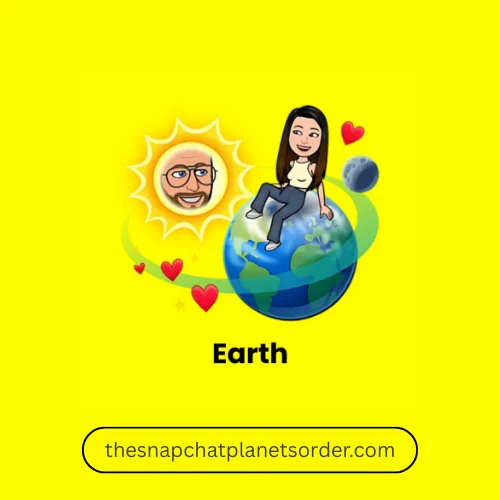
Meaning:
Michael is a friend with whom you maintain a balanced, calm, and consistent friendship. Not daily, but regular contact happens.
Vibe:
Peaceful, stable, green/blue calm energy
Trustworthy, easy-going friendship
Graphic Sign:
A green-and-blue planet surrounded by red hearts, sparkles, a visible moon, and a Bitmoji sitting on top.
Why Earth?
Because your interaction with them is stable, natural, and smooth — a no-drama friendship — they appear as your Earth Snapchat Planet.
Mars Snapchat Planet (Frequently Contacted Friend)
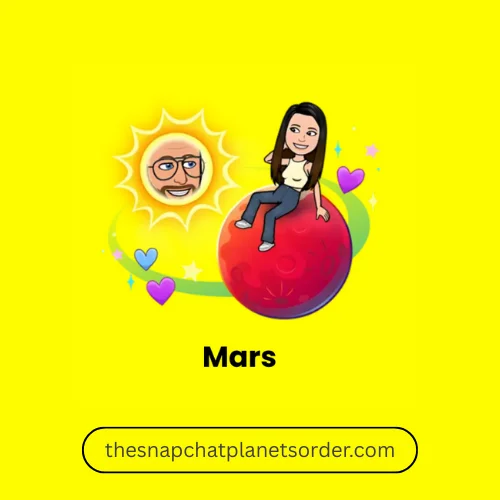
Meaning:
You talk quite a bit with David, but he is not extremely close. Funny snaps, reactions, filters, random talks — casual but fun.
Vibe:
Red planet vibes
Energetic, playful, spontaneous chat energy
Graphic Sign:
A bold red planet with purple and blue hearts, surrounded by sparkling stars, and a Bitmoji sitting on top — perfectly representing the Mars Snapchat Planet in the Friendship Solar System.
Why Mars?
Because you both stay in contact, but he’s not your top-level bestie.
Jupiter Snapchat Planet (Casual Friend)
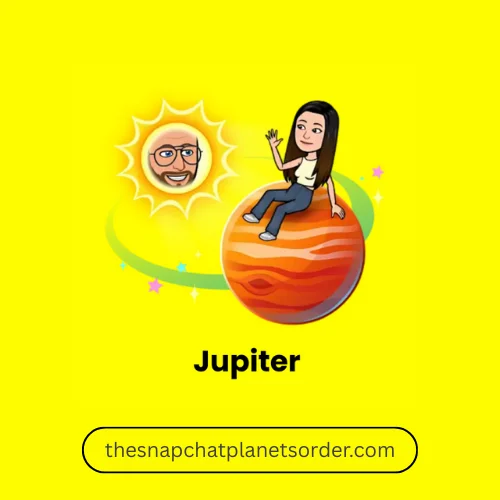
Meaning:
You chat with Daniel occasionally, maybe when something interesting happens. The connection is friendly but very chill and casual.
Vibe:
Big soft planet
Light, relaxed interaction style
Graphic Sign:
A large orange planet with swirls, surrounded by pink and yellow stars, and a Bitmoji sitting on top.
Why Jupiter?
Because the friendship is comfortable but very low-maintenance, just like the Jupiter Snapchat Planet level in the Snapchat Solar System.
Saturn Snapchat Planet (Occasional Interactions)
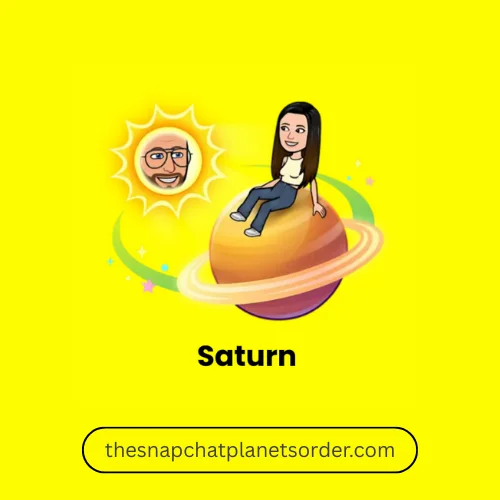
Meaning:
You rarely contact Sophia. Maybe a story reaction or a message occasionally, but not regular chatting.
Vibe:
Purple rings
Quiet, distant but polite friendship
Graphic Sign:
A planet with signature rings, often surrounded by stars and showing a Bitmoji on top.
Why Saturn?
Because the connection is light and a little distant — friendly but not active.
Uranus Snapchat Planet (A Distant, Casual Friend)
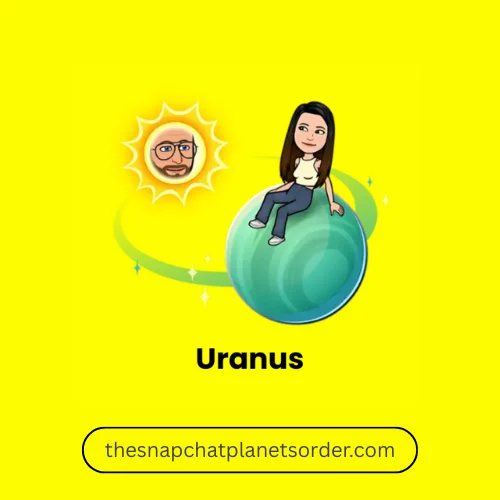
Meaning:
You have very few chats with Ethan. Mostly one-word replies, small interactions, or occasional streaks.
Vibe:
Light blue distant planet
Cool & low interaction energy
Graphic Sign:
A light blue planet with minimal decoration and a Bitmoji sitting on top.
Why Uranus?
Because you both are almost inactive in contact on Snapchat.
Neptune Snapchat Planet (Least Interacted Friend)
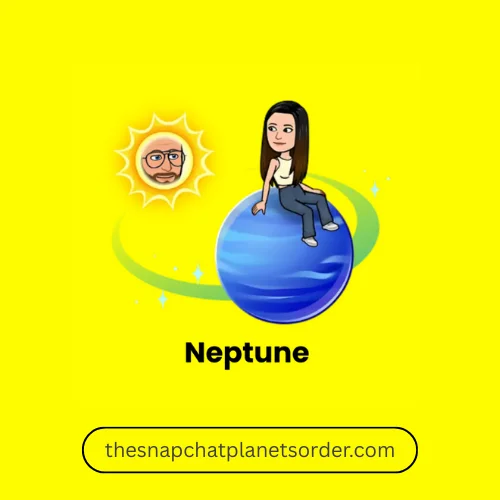
Meaning:
Emma is the last planet friend on your list. Interactions are very rare — maybe one reaction, one message, or just seen.
Vibe:
Deep blue calm planet
Soft, fading connection energy
Graphic Sign:
A calm, deep blue planet with a Bitmoji sitting on top, often shown with minimal decorations.
Why Neptune?
Because you and Emma are hardly active on Snapchat.
How to Check Your Planet on Your Friend’s Solar System?
Snapchat’s Best Friends Solar System feature is very interesting — it shows your position in your friend’s universe within Snapchat Best Friends. If you’re curious whether you are their Mercury, Venus, or Neptune, you can easily find out by following these steps.
Step-by-Step Guide:
1. Make sure you’re using Snapchat+
The Solar System feature is only available for Snapchat Plus users. If your account isn’t upgraded, the planets won’t appear.
2. Open any friend’s profile
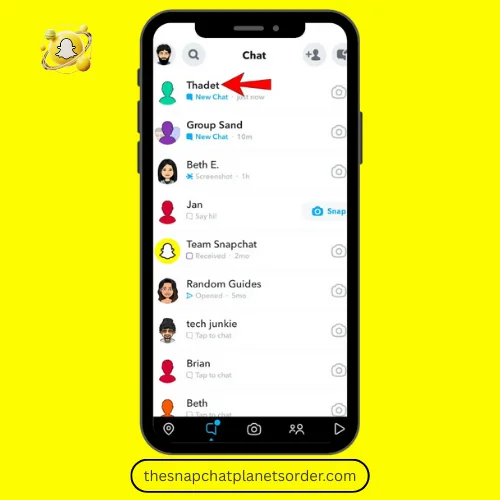
Tap on your friend’s Bitmoji and open their full profile screen.
3. Look for the gold “Best Friends” or “Friends” badge
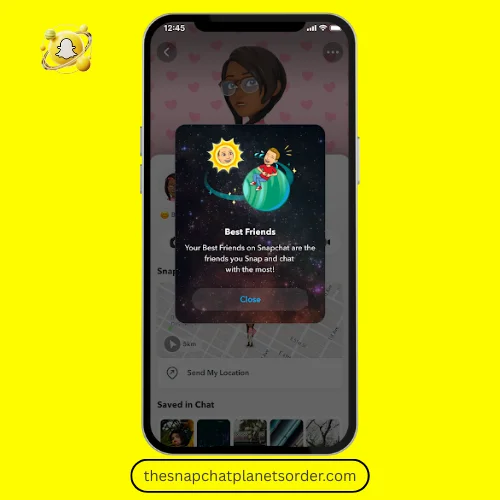
This badge appears at the top of the profile. The small gold icon shows that the planets feature is active.
4. Press and hold the badge
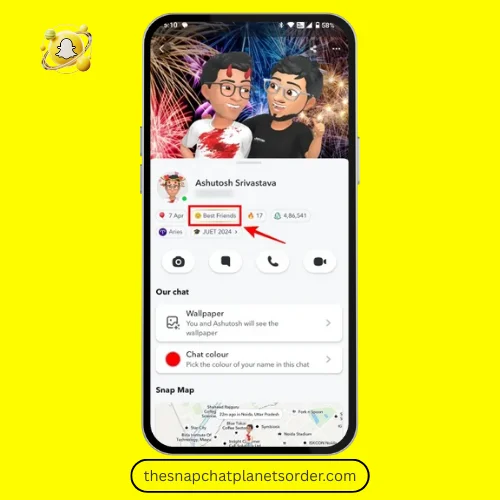
When you hold down the gold badge, Snapchat shows you a mini solar system animation where you appear as a planet.
5. See which planet represents you
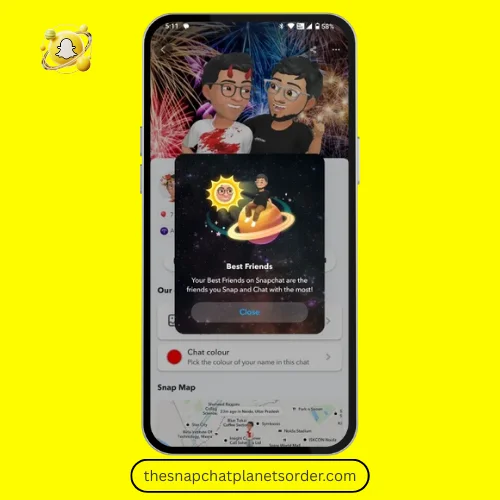
You’ll see your exact position — whether you’re Mercury (the closest) or Neptune (the last).
6. Repeat for other friends
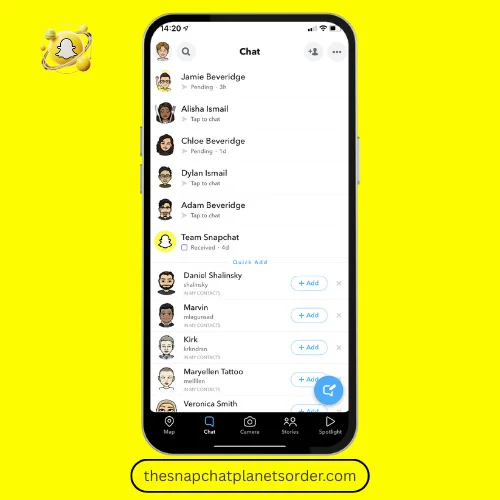
You can follow the same steps on any friend’s profile to see your ranking in their universe.
Your planet is not permanent. As your chats, snaps, and activity increase or decrease, your planet position can also change. That’s why checking it once in a while is fun!
How to Improve Your Position in Someone’s Planet Order?
1. Use Snapchat+
- Why: The planets feature shows for Snapchat+ users.
- Action: Ask your friend if they use Snapchat+ (or upgrade if you want full access to some features).
2. Send more meaningful snaps (not just texts)
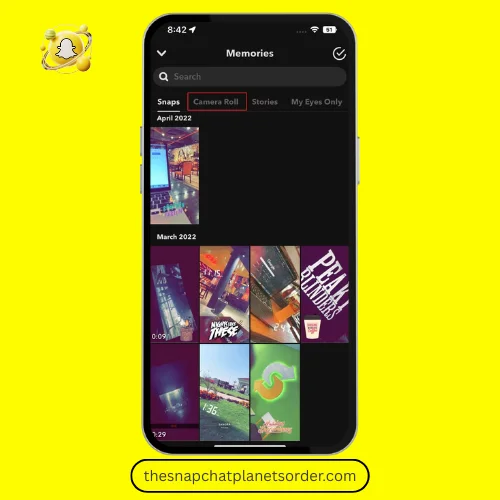
- Why: Original snaps (photos/videos) count more than plain chats.
- Action: Share short moments — a quick selfie, something you found funny, or a small video.
- Example: Instead of “hi”, send a 3–5 second snap showing your coffee or a funny street scene.
3. Reply quickly and often
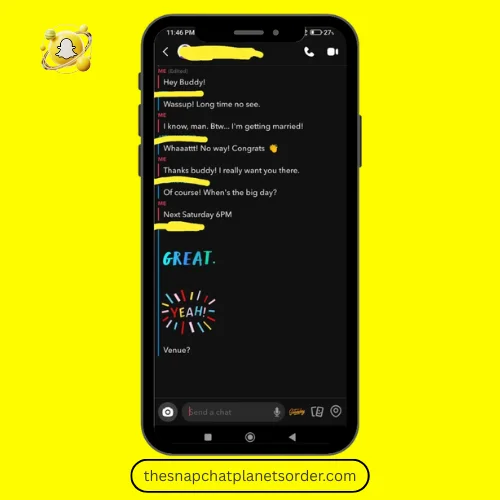
- Why: Fast replies and consistent back-and-forth boost interaction weight.
- Action: When they snap you, reply within minutes (when possible). Keep exchanges light and continuous.
4. Keep streaks alive
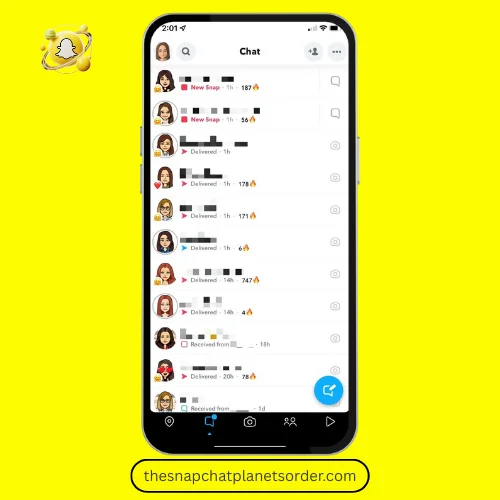
- Why: Streaks are strong signals of frequent interaction.
- Action: Send at least one snap each day to maintain or start a streak.
- Tip: Use simple snaps — you don’t need long messages every day.
5. Engage with their Stories
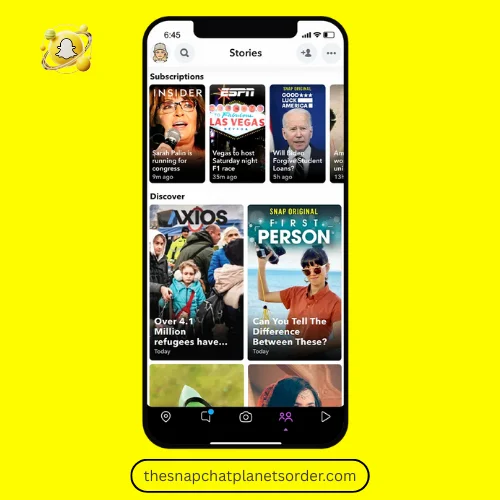
- Why: Reacting to or replying to stories shows interest without needing a private snap.
- Action: Tap to react or send a short reply when they post a story you like.
6. Send varied content
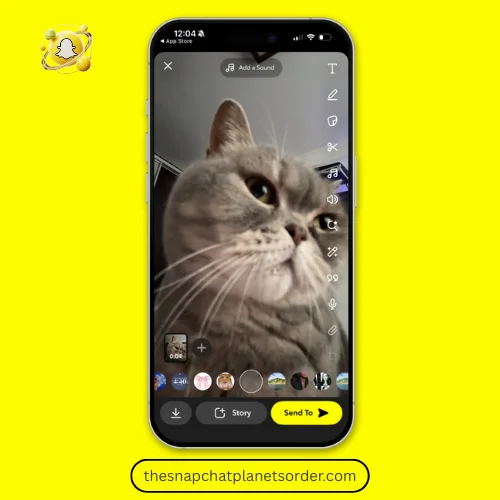
- Why: Mix keeps interactions interesting and frequent.
- Action: Alternate between selfies, short videos, text overlays, voice notes, filters, and Bitmoji stickers.
7. Use voice/video calls occasionally
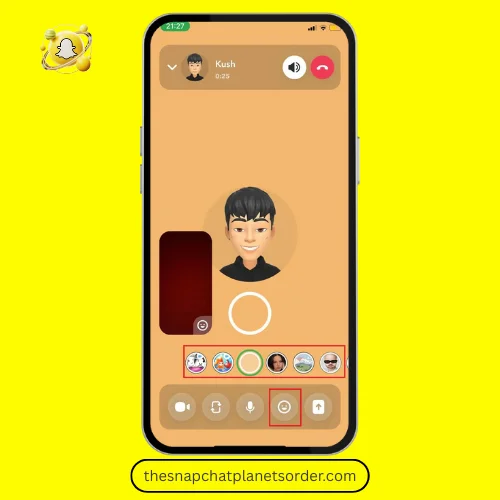
- Why: Calls count as interactions and deepen the connection.
- Action: Make a short voice or video call once in a while — even 30–60 seconds helps.
8. Be the initiator sometimes
- Why: Initiating shows you’re invested in chatting.
- Action: Don’t wait every time — start a funny snap, a meme, or a “What’s up?” snap.
9. React kindly and consistently
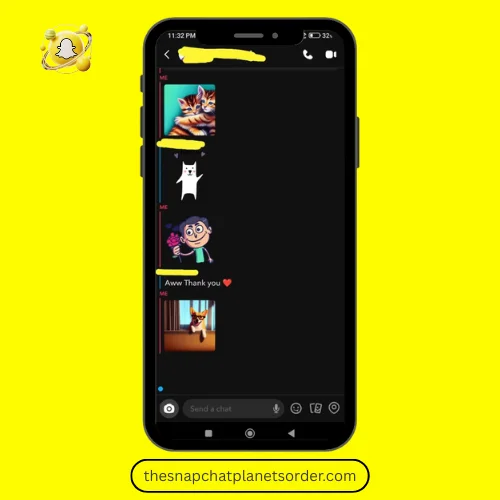
- Why: Small reactions build momentum.
- Action: Use emoji reactions, send quick “😂” or “😍” snaps, and reply to messages rather than leaving them unread.
10. Don’t spam — aim for quality over quantity
- Why: Too many low-value snaps can annoy and may be ignored.
- Action: Send frequent but meaningful snaps. Avoid sending dozens of meaningless snaps in one day.
11. Stay active across days, not just bursts
- Why: Consistent activity over days/weeks changes ranking more than a single busy day.
- Action: Make an interaction plan — a quick snap every day or every other day.
12. Be genuine — relationships matter
- Why: Snapchat metrics reflect real social bonds; forced interactions can feel fake.
- Action: Share things you actually care about and respond to their interests.
How long before you see change?
Changes can appear within a few days to a few weeks, depending on how active both sides are. No guarantee — it’s based on mutual activity.
If you want to move up in someone’s planet order, treat Snapchat like a small friendship habit: small, regular, and real interactions beat big one-time gestures.
What Is Snapchat Plus?
Snapchat Plus is a paid subscription that gives you more features than the normal Snapchat. This means if you use Snapchat Plus, you get extra fun and exclusive features that normal users don’t have access to.

Snapchat Plus Features
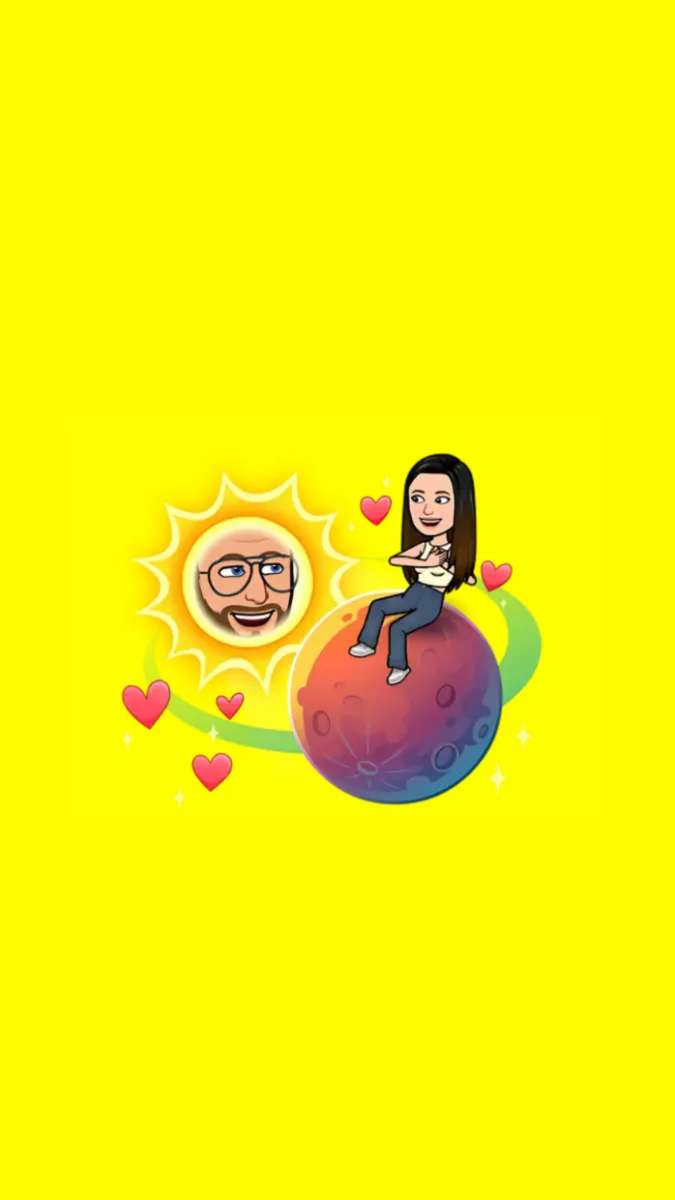
Best Friends Solar System / Planets
This feature shows your position in a friend’s universe (Mercury, Venus, etc.).

Pin Your BFF
You can pin your top friend at the top of your Snapchat feed.
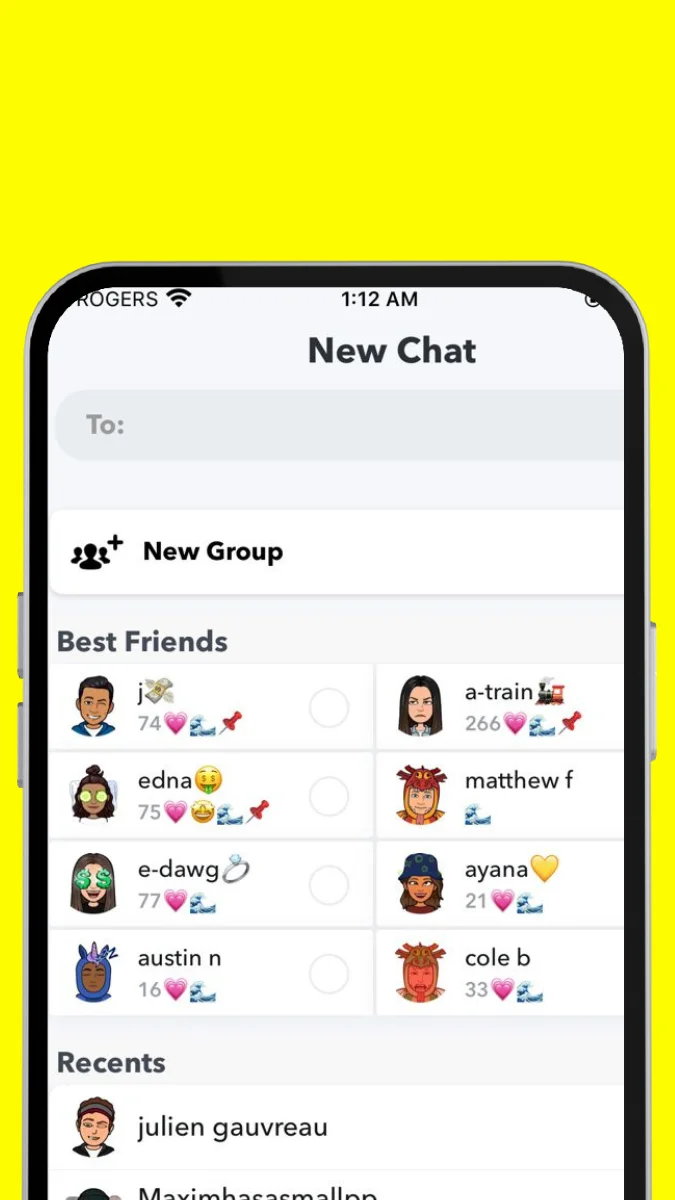
Exclusive Badges & Icons
Your profile shows gold badges and special icons that normal users cannot see.
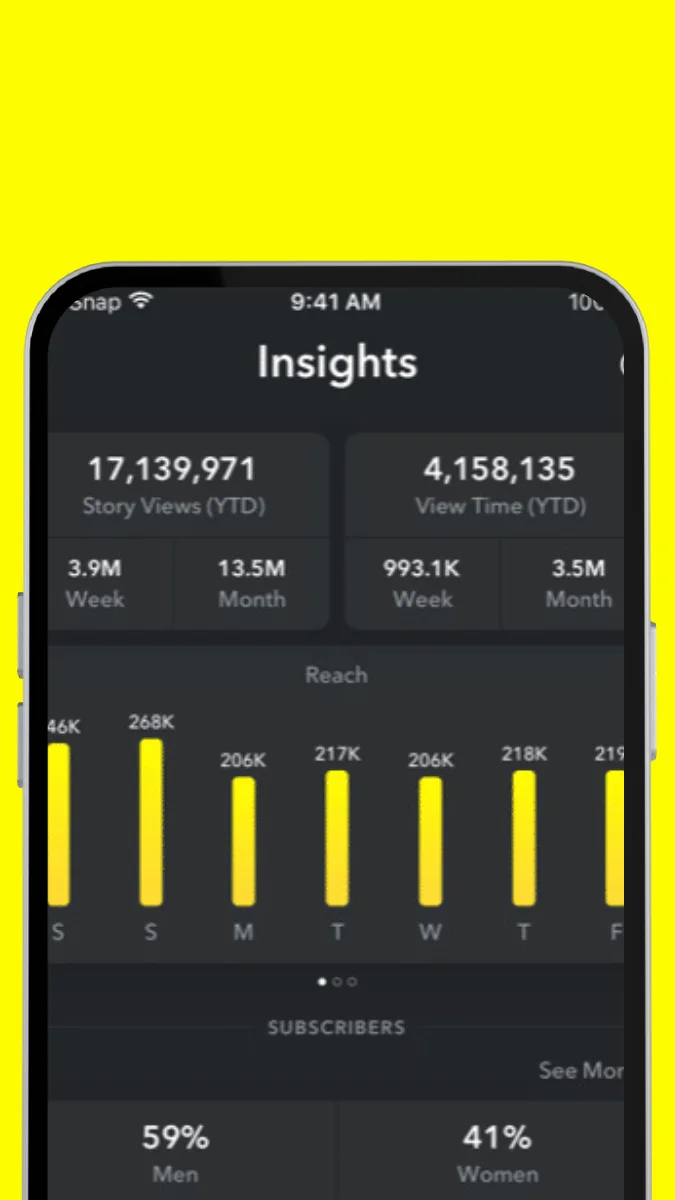
Post Views and Story Insights
You can see which friend viewed your story first.
Early Access to New Features
You get Snapchat’s new features before normal users.

Snap streak Tools
Restore a lost Snapstreak or set reminders so you never miss a day.
Price & Availability
- Snapchat Plus is available as a monthly or yearly subscription.
- Prices vary slightly by country.
- To upgrade, go to the “Snapchat+” option in the Snapchat app.
Simple Example
- Normal Snapchat users cannot see the planets order.
- A Snapchat Plus user can tell you whether you are Mercury or Neptune in their friends list.
- This makes interactions and friendships more fun and interesting.

How to Subscribe to Snapchat Plus – Simple Steps
Step 1: Open the Snapchat App
Open the Snapchat app on your phone and log in.
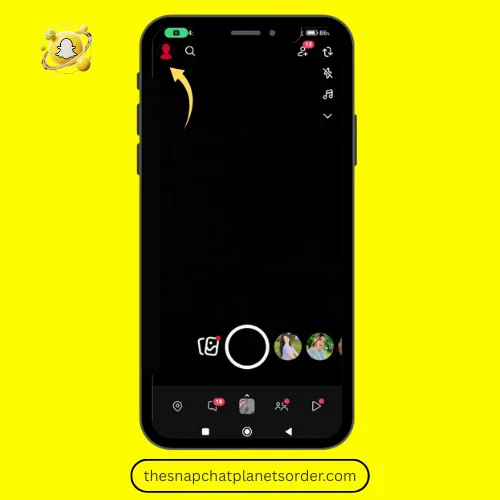
Step 2: Go to Your Profile
Tap on your Bitmoji or profile icon in the top left corner.
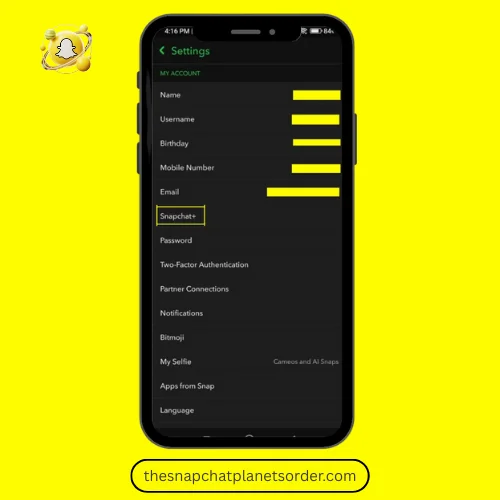
Step 3: Find the Snapchat+ Option
On your profile screen, you’ll see the Snapchat+ option. Tap on it.
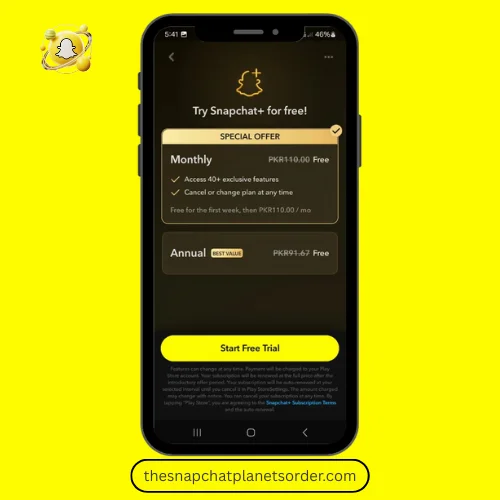
Step 4: Choose a Subscription Plan
- You can choose either a monthly or yearly plan.
- The price for your country will be displayed.
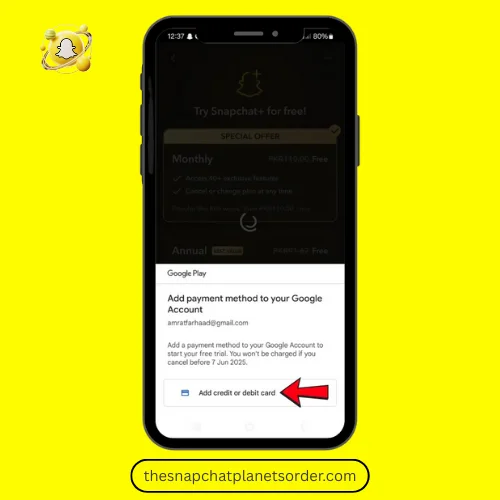
Step 5: Complete the Payment
- Choose your preferred payment method (Credit Card, Apple Pay, Google Pay, etc.)
- Once payment is completed, your Snapchat Plus subscription will be activated.
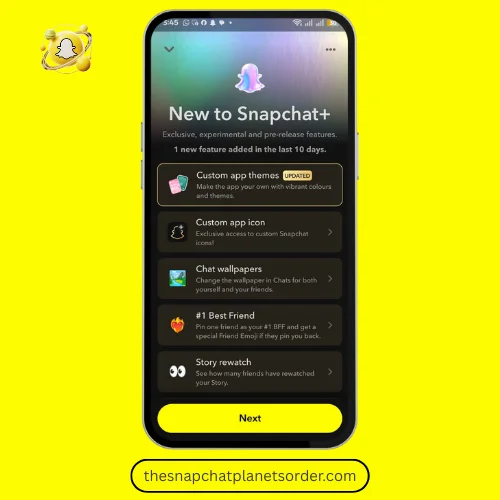
Step 6: Enjoy Snapchat Plus Features
Now you can use planets, badges, story insights, BFF pin, and early access features.
How to Cancel Snapchat+ Subscription on iPhone and Android
For iPhone (iOS Users)
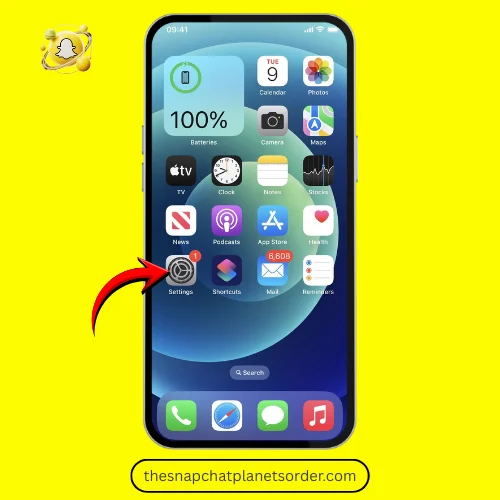
Step 1: Open Settings
Open the Settings app on your iPhone.
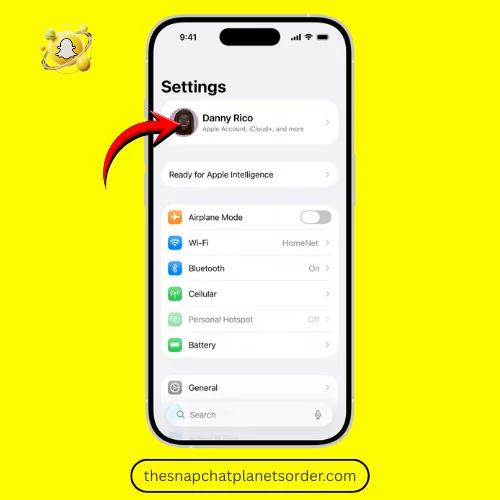
Step 2: Tap on Your Name
Open the Settings app on your iPhone.
Step 3: Go to Subscriptions
Find and tap the Subscriptions option.
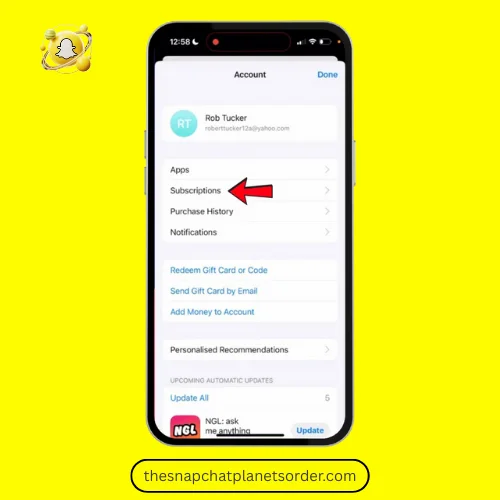
Step 4: Select Snapchat+
From the list, select your Snapchat+ subscription.
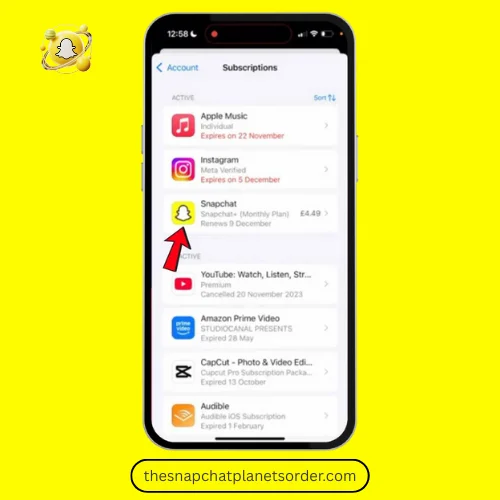
Step 5: Cancel Subscription
Tap Cancel Subscription and confirm.
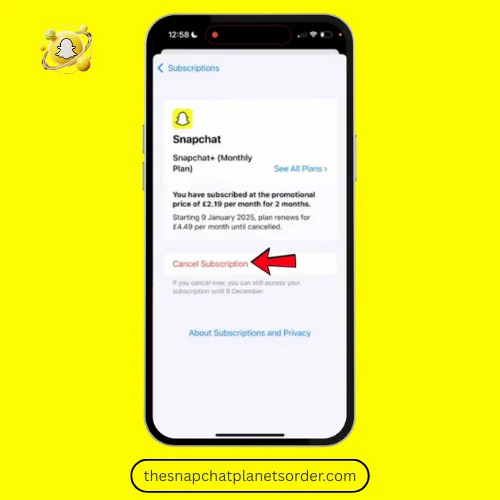
- After cancellation, your Snapchat+ will remain active until the current billing period ends.
- Future payments will stop automatically through your Apple ID.
- You can only manage or cancel this subscription from Settings > Apple ID > Subscriptions, not from the Snapchat app.
For Android Users
Step 1: Open Google Play Store
Open the Google Play Store on your phone.
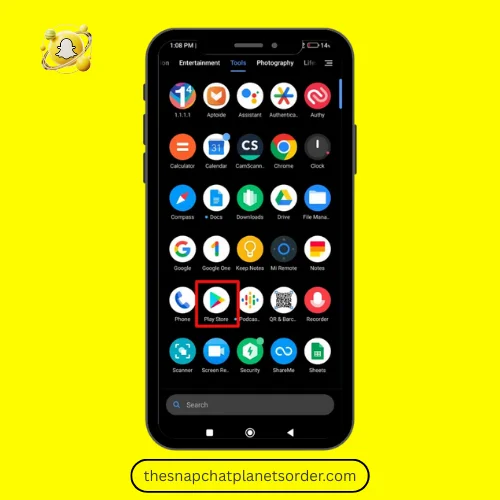
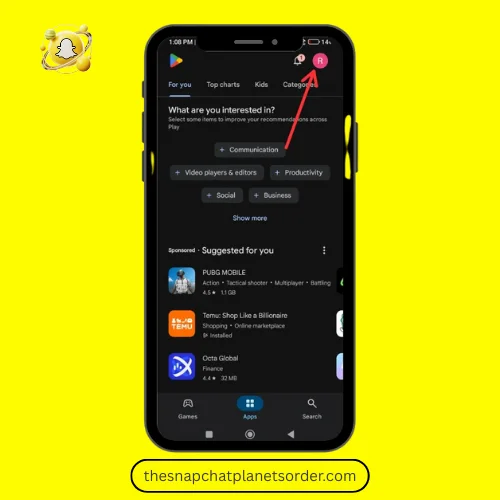
Step 2: Tap on Profile Icon
Tap your profile icon in the top-right corner.
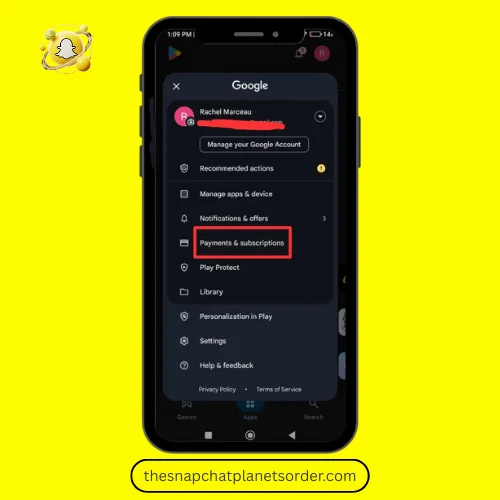
Step 3: Go to Payments & Subscriptions
Select Payments & Subscriptions.
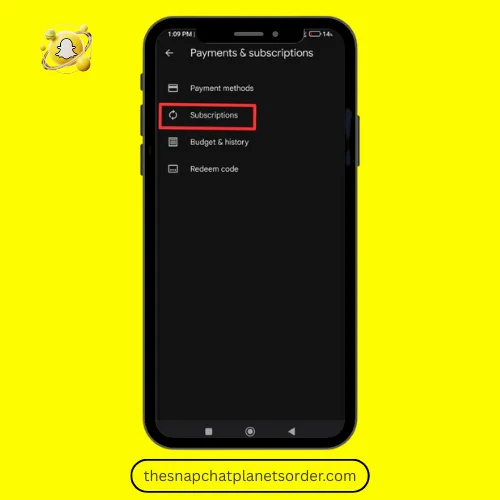
Step 4: Tap on Subscriptions
Here you will see a list of your active subscriptions.
Step 5: Select Snapchat+ and Cancel
Choose Snapchat+ and tap Cancel subscription.
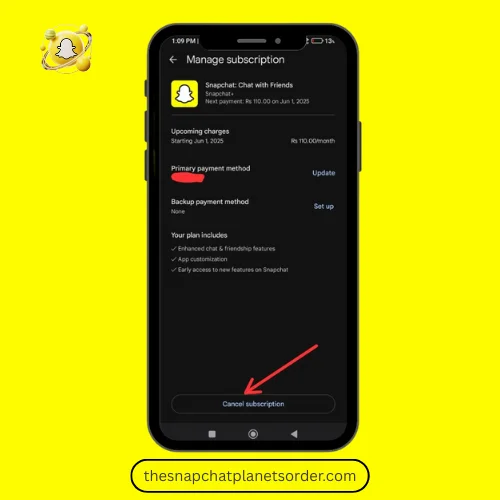
- After cancellation, Snapchat+ will remain active until the current billing period ends.
- Future payments will stop automatically.
- You can subscribe again anytime via the Snapchat+ upgrade option.
How to Enable Snapchat Solar System Feature
By following the steps given below, you can enable the Snapchat Planets feature.
Step-by-Step Guide:
Step 1: Open the Snapchat App
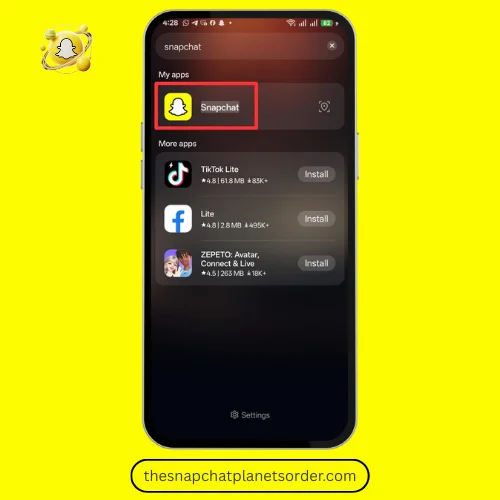
Open the Snapchat app on your phone. The process is the same for Android and iOS.
Step 2: Tap Your Profile Icon
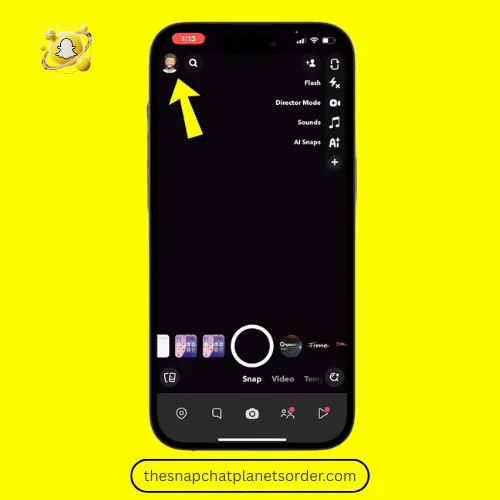
Tap your Bitmoji or profile icon in the top-left corner to open your profile screen.
Step 3: Check Your Snapchat Plus Subscription
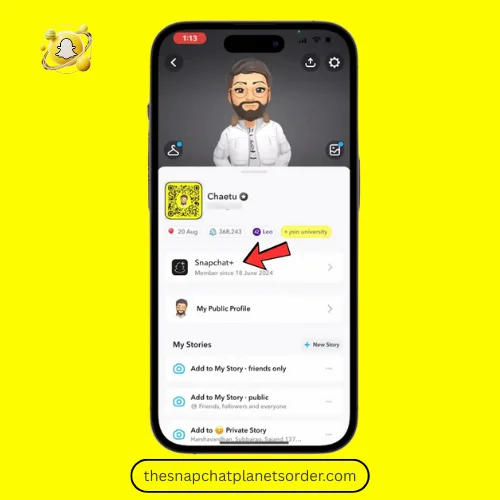
Make sure you are a Snapchat Plus subscriber, because the Solar System feature is not available to regular users.
Step 4: Find the “Solar System” Option
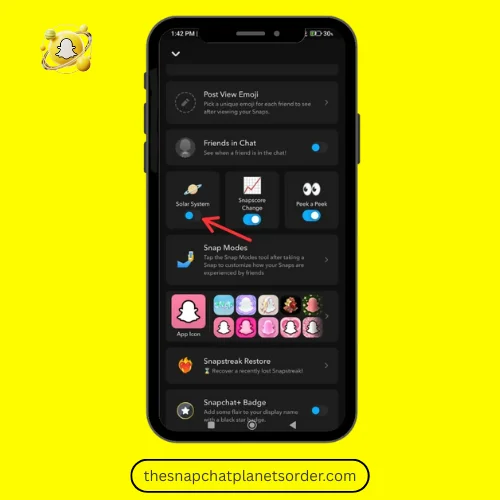
Scroll down on your profile screen and look for “Solar System” or “Friend Solar System”.
Step 5: Enable the Feature
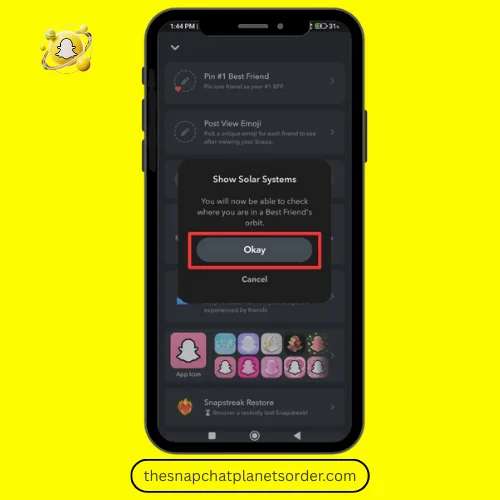
Tap the option and select “Okay”.
Now you will see your top 8 friends revolving around you like planets, with you at the center — like the Sun.
Step 6: Explore and Enjoy
You can now view your Snapchat Solar System and see each friend’s position. Planet positions can change over time, so checking occasionally is fun!
If the Solar System option is not showing, try updating your Snapchat app — older versions may not display the feature.
How to Disable Snapchat Solar System
Step 1: Open the Snapchat App
Start by launching the Snapchat app on your phone. If you’re logged out, enter your details and log in.
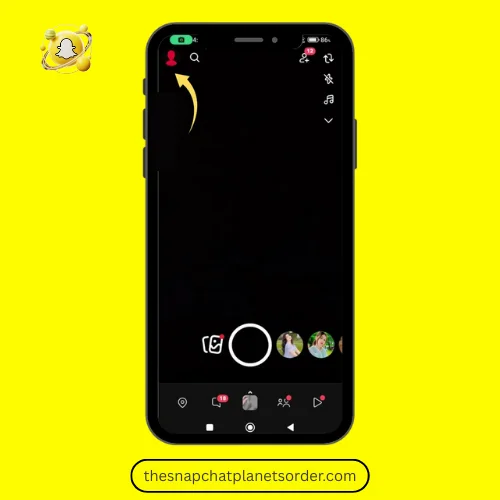
Step 2: Go to Your Profile
Once the app opens, tap the Bitmoji/Profile icon located in the top-left corner. This takes you to your profile page.
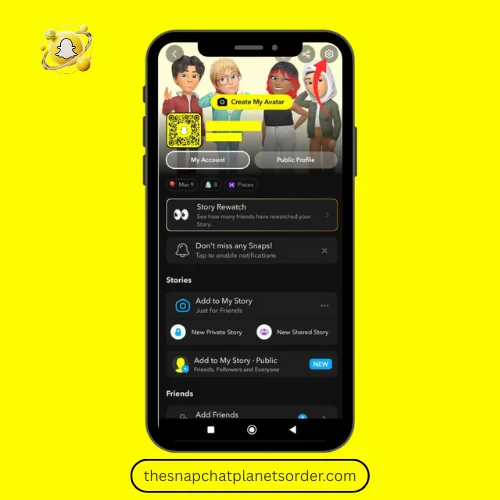
Step 3: Open the Settings Menu
On your profile screen, tap the gear icon (⚙️) in the top-right corner. This will open all your Snapchat settings.
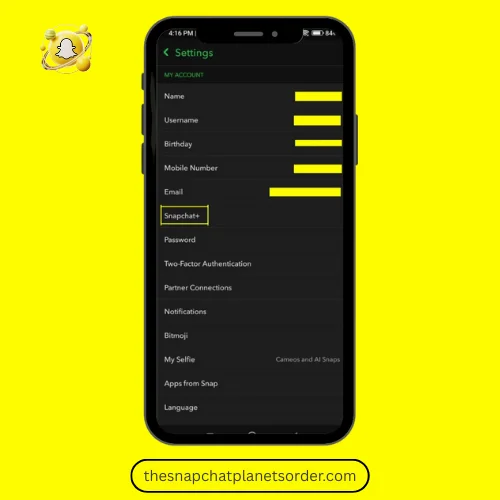
Step 4: Select Snapchat+
Scroll down through the settings until you see Snapchat+. Tap on it to view the premium features.
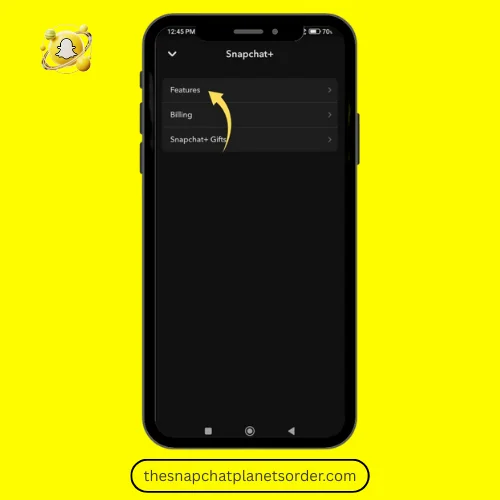
Step 5: Open the Features List
Inside the Snapchat+ section, tap on Features. This will show you all the exclusive features you can manage.
Step 6: Find the Friend Solar System
Scroll through the list and look for Friend Solar System. This is the setting that shows your “planet position” in your friends’ list.
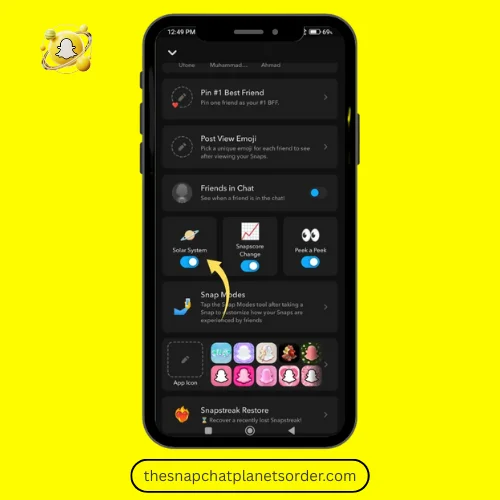
Step 7: Turn It Off
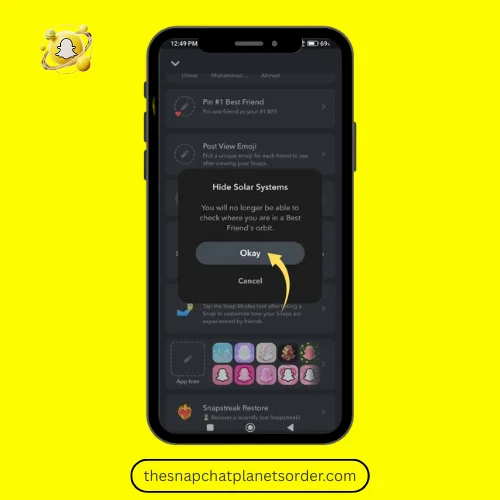
Tap the toggle next to Friend Solar System to switch it Off.
A confirmation popup will appear — simply tap Okay to finish.
- If the toggle doesn’t turn off, close Snapchat completely and reopen the app — sometimes settings need a quick refresh.
- Make sure your Snapchat app is updated, because older versions may not properly show the disable option.
- Turning off the Friend Solar System only hides your planet position — it does not remove other Snapchat+ features you’re subscribed to.
Pros and cons of Snapchat Plus
Pros (Advantages)
Cons (Disadvantages)
Frequently Asked Questions
Conclusion
The Snapchat Planets System is a fun and creative way to understand your friendship ranking on Snapchat. Instead of simple lists, Snapchat+ turns your top friends into planets orbiting around you — the Sun. Each planet reflects how frequently you interact with someone, making the experience more visual, engaging, and dynamic.
From Mercury (your #1 closest friend) to Neptune (your #8 least-interacted top friend), the system updates automatically based on snaps, chats, streaks, and story activity. It’s important to remember that these planets represent Snapchat activity, not the true depth of your real-life relationships.
If you enjoy tracking friendships, improving your ranking, or simply exploring new features, Snapchat+ makes it possible with the Solar System, exclusive icons, insights, and early access to features. But if it ever feels overwhelming or unnecessary, the feature can be disabled anytime.
In the end, Snapchat Planets are meant to make social interactions more playful — a visual reminder that friendships evolve just like orbits in a solar system. Enjoy it, explore it, but don’t take it too seriously.
This website is created for informational purposes only and has no affiliation with Snap Inc. We provide information about Snapchat Planets on this website to give knowledge to those who are curious about it. All Snapchat logos and planet images belong to Snap Inc.
