
Have you ever wondered if you’re actually on someone’s Snapchat Best Friends list, also called the Snapchat Planet BSF list, or where you stand in the Snapchat planets order? You might be snapping them every day but still feel unsure if you’re their number one best friend—or even on the list at all. Don’t worry, I’ll walk you through the steps to check your rank and see if you’re one of their top friends.
Snapchat Best Friends List Checker
Step 1: Open Your Snapchat App
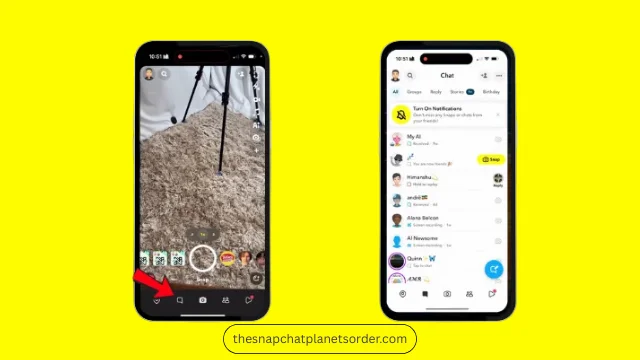
The first step is simple. Open your Snapchat app and tap the message icon in the bottom left corner. Look at your chat list.
If you see a fire emoji next to someone’s name, it means you have a Snap streak with them. Snap streaks show that you’ve been sending snaps back and forth consistently. This is your first clue about your friendship activity on Snapchat.
Step 2: Access Snapchat Plus
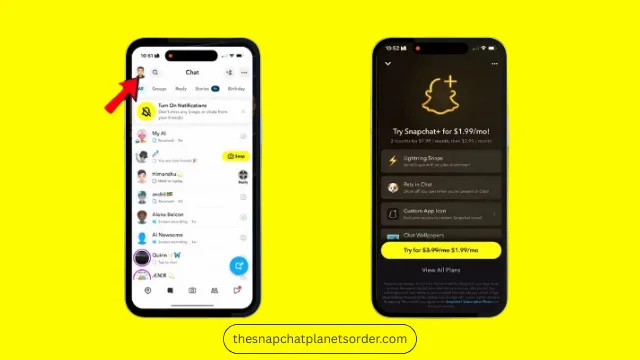
To know exactly where you rank on someone’s best friends list, you’ll need Snapchat Plus.
Tap your profile picture at the top left of the app. Scroll down and tap on Snapchat Plus to try or subscribe.
Snapchat Plus costs $1.99 per month, and you can cancel anytime. It unlocks special features, including the Number One Best Friend pin.
Step 3: Use the Number One Best Friend Pin
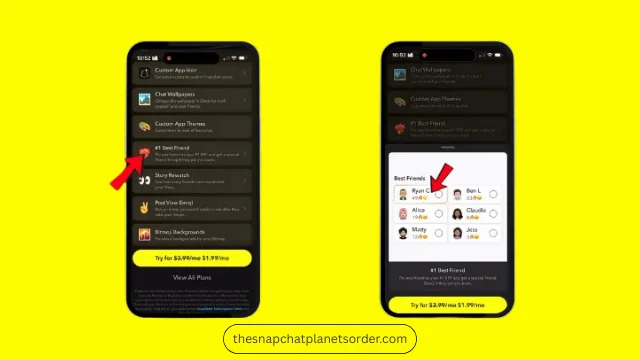
With Snapchat Plus, you can pin someone as your number one best friend.
When I pin Ryan C and he pins me back, we both see a special icon indicating that we’re each other’s top friends. This is a great way to be sure of your friendship ranking without guessing.
Step 4: Try the Solar System Feature
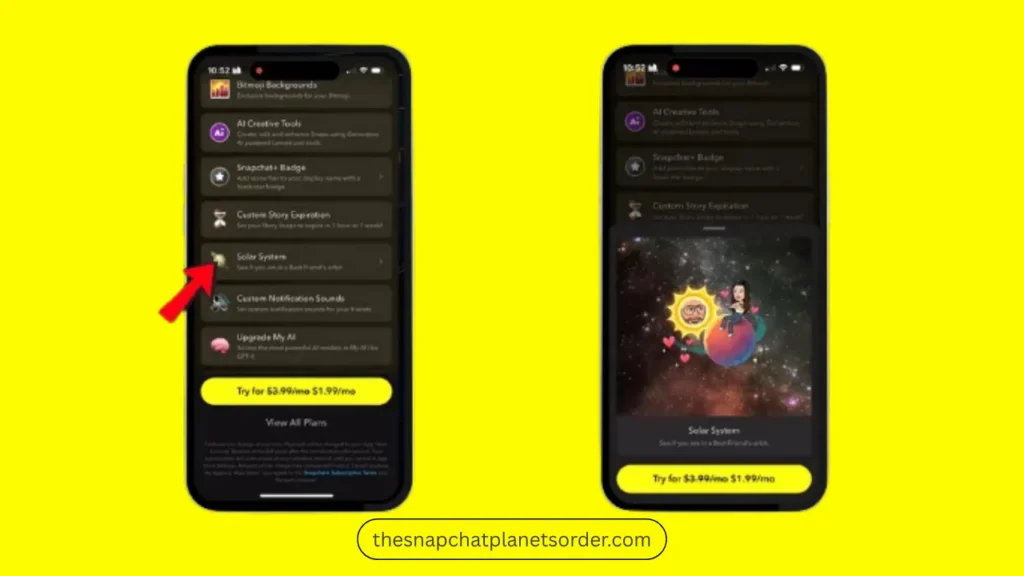
Snapchat Plus also includes a Solar System feature. Scroll down in Snapchat Plus and find Solar System. This feature shows your position in your friend’s best friend circle, represented as planets around the sun. The closer the planet is to the sun, the closer you are as friends. It’s a fun, visual way to see your ranking among your friend’s top Snapchat connections.
Step 5: Check Without Paying
Don’t want to pay for Snapchat Plus? No worries! You can still check your best friends list the old-fashioned way. Simply ask your friend, “Hey, can you send me a screenshot of your Snapchat Best Friends?” You can share yours as well. This honest approach lets you see each other’s top friends without spending money.
Final Tips
Stay honest and share your best friends list with friends you trust. Have fun—Snapchat is all about connecting and enjoying your friendships. Subscribe to TheSnapchatPlanetsOrder.com to get more guides, tips, and insights about the Snapchat Planets Order, Solar System, and friendship features.
Checking your Snapchat best friends rank can be fun and insightful. Whether you use Snapchat Plus or just ask your friends, now you know exactly how to find your spot on their list.
