What Is Quick Add on Snapchat?
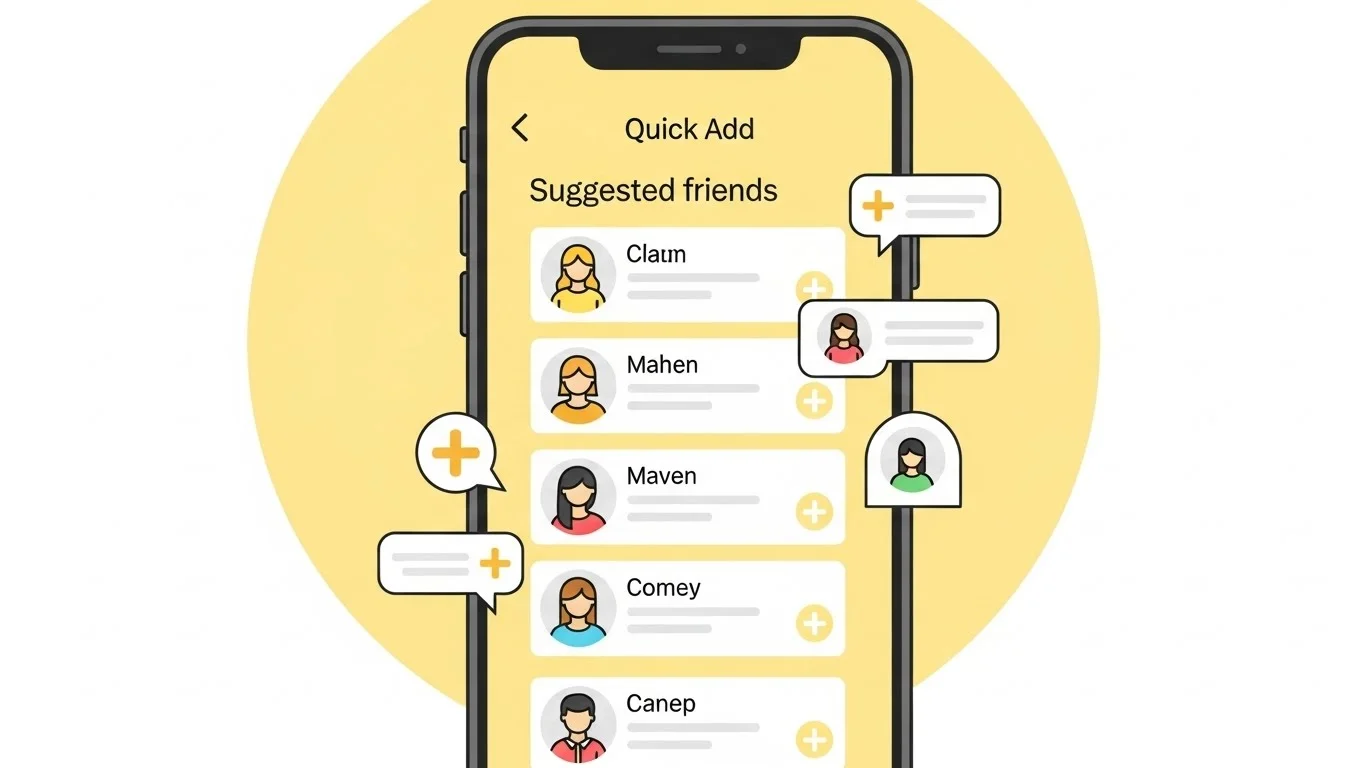
I’ve been using Snapchat for years, and one feature that always pops up is Quick Add. It’s that handy section right in the app where Snapchat suggests new friends for you to add — a core part of Snapchat friend discovery.
Quick Add shows up when you open the app, usually under the Add Friends button. It lists people Snapchat thinks you might know or want to connect with.
At first, I ignored it, but once I started exploring, it became a game-changer for growing my friend list effortlessly.
How Quick Add Works Behind the Scenes
Snapchat’s Quick Add pulls from your contacts, mutual friends, and even phone location data if you allow it. It scans your phone’s address book for Snapchat users and matches them up.
The algorithm also looks at who your friends are snapping with most. If our circles overlap, boom—you appear in each other’s Quick Add.
It’s all about making connections feel organic, like bumping into someone at a party you both know.
Why Quick Add Feels So Smart
What I love is how Quick Add saves time. No more scrolling through search bars hoping to find that old classmate.
It prioritizes suggestions based on relevance. For example, if we’re in the same city or have shared contacts, you’re more likely to show up high on the list.
This makes expanding your Snap network quick and intuitive, especially for casual users like me.
My First Experience with Quick Add
I remember downloading Snapchat back in college. Quick Add lit up with suggestions from my dorm mates I’d forgotten to add.
One tap, and suddenly I was swapping streaks with half the floor. It turned a quiet weekend into non-stop Snaps flying back and forth.
That instant connection hooked me—it’s like Snapchat reads your social vibe without you lifting a finger.
How Snapchat Recommends Friends Through Quick Add
Snapchat uses a mix of signals for these recs. Your synced contacts are the biggest one; it cross-references numbers and emails.
Mutual friends play a huge role too. If five of your buddies have someone in common, Quick Add pushes them forward.
It even factors in interaction patterns, like who views your Stories or sends frequent Snaps in your network.
Diving Deeper into the Recommendation Engine
Location helps if enabled—Snapchat notices nearby users at events or spots. But it’s privacy-focused; nothing shares without consent.
Search history and past adds influence it subtly. Over time, as I added more local friends, Quick Add tailored suggestions to my Rawalpindi circle perfectly.
It’s not random; it’s like a digital wingman spotting connections you’d miss.
Real-Life Anecdotes from My Snapchat Journey
Last year, Quick Add reconnected me with a high school friend I’d lost touch with. We both studied abroad briefly, and boom—there she was in my suggestions.
We started snapping about old times, and it sparked a whole group chat revival. Without Quick Add, we’d still be ghosts to each other.
Another time, it suggested a colleague from work. Turned out we had the same mutuals from a team outing—small world!
The Usefulness of Quick Add in Everyday Snapping
Quick Add shines for networking. Whether building streaks or sharing daily life, it connects you faster than manual searches.
It’s perfect for events too. At a concert, I added three people nearby via Quick Add, and we traded epic Story clips all night.
For introverts like me, it’s a low-pressure way to expand without awkward DMs.
Busting Common Myths About Quick Add
One big myth: Quick Add only shows crushes or romantic interests. Nope—it’s purely social, based on networks, not swipes or likes.
People think it spies on your messages. Relax; Snapchat doesn’t read chats for suggestions. It’s contacts and mutuals only.
Another misunderstanding: You can’t control it. Actually, you can hide suggestions or adjust privacy to fine-tune what appears.
Addressing Privacy Concerns with Quick Add
I get why privacy worries pop up. But Snapchat requires permission to access contacts, and you can revoke it anytime in settings.
Quick Add never reveals why someone appeared—no awkward “because we both know Ali” notifications. It’s discreet.
From my use, turning off contact sync cut random adds, but I missed the magic reconnections.
Tips to Make Quick Add Work for You
Start by syncing contacts once—it unlocks the best recs without constant prompts. Then, check it daily for fresh faces.
If a suggestion feels off, just hit the X. Snapchat learns your preferences over time.
Pro tip: Add from Quick Add during group hangs; it supercharges your friend graph instantly.
Quick Add and Snapchat’s Fun Features
Speaking of connections, Quick Add pairs well with Snapchat’s playful bits, like the friendship profiles. Ever checked the snapchat planets order for your bestie? It adds whimsy to those Quick Add bonds.
I’ve used it to rank new friends’ planets—turns adding someone into a laugh riot.
Potential Downsides and How I Handle Them
Sometimes Quick Add floods with strangers, which annoyed me early on. Solution: Set your phone to private and limit who sees your Quick Add profile.
It won’t add bots or fakes if you’re vigilant—always verify with mutuals first.
Overall, the pros outweigh any clutter for me.
Why Quick Add Keeps Evolving
Snapchat tweaks Quick Add based on user feedback. Lately, it’s gotten better at local suggestions, which rocks in bustling spots like Rawalpindi markets.
I notice fewer repeats now, making it fresher. It’s clear they’re listening to folks like us.
Final Thoughts on Embracing Quick Add
Quick Add transformed how I use Snapchat—from solo Snaps to a vibrant circle. It’s not just a feature; it’s a bridge to real connections.
Give it a spin next time you open the app. You might rediscover someone or spark a new streak.
What’s your take—have you found gems through Quick Add?